Connect 4
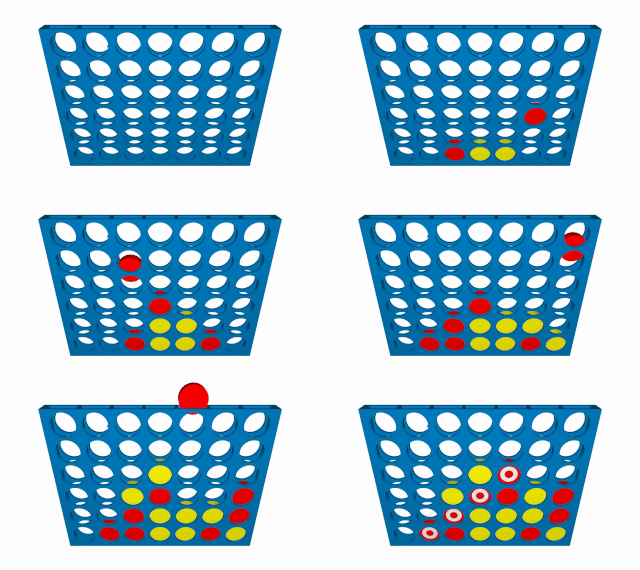
This game is a classical 2 players game called Connect 4. By turns, each player drops a token in one of the 7 columns. The player that can align 4 tokens in a row, column or diagonal wins.
This is a 2 players game of 0 sum with perfect information.
Goal
The goal of this game is to align 4 tokens in a row, column or diagonal.
Score
- The player that aligns 4 tokens:
1
- The other player:
-1
- In case the board is full and no player aligned 4 tokens:
0
Import
from IArena.games.Connect4 import Connect4Rules
from IArena.games.Connect4 import Connect4Movement
from IArena.games.Connect4 import Connect4Position
Movement
A movement is represented by an int representing the number of the column where to drop the token:
nint0 <= n < n_columnsIndex of the column where to drop the token
movement = Connect4Movement(n=2) # Drop the token in the column 2
Position
A position is represented by a matrix defined as List[List[int]] where:
Connect4Matrix.EMPTY_CELL = -1- Empty cell0- Player 0 token1- Player 1 token
Constructor
The position is created by a subclass Connect4Matrix, by a matrix and a player, or by a short str matrix definition:
# Using Connect4Matrix
matrix = Connect4Matrix(
    matrix=[[-1,-1,-1], [-1,-1,-1], [-1,-1,-1], [0, 1, 0]],
    player=1)
position = Connect4Position(
    rules=Connect4Rules(),
    position=matrix)

# Using constructor
position = Connect4Position(
    rules=Connect4Rules(),
    matrix=[[-1,-1,-1], [-1,-1,-1], [-1,-1,-1], [0, 1, 0]],
    player=1)

# Using short str
position = Connect4Position.from_str('1|4|0|1|0')
Methods
The standard Connect 4 game is based on a 6x7 board that starts empty.
However, this class allows any size of board.
To handle this, and the rest of the position information, the Connect4Position has these methods:
next_player() -> PlayerIndexReturns the index of the next player
get_matrix() -> List[List[int]]Returns a copy of the matrix
n_rows() -> intReturns the number of rows
n_columns() -> intReturns the number of columns
Also, the class has 2 useful static methods to transform matrices. These methods helps to understand the short str matrix definition. Using them, you can convert a short str to a matrix and vice versa:
convert_short_str_to_matrix_str(short_str: str) -> strConverts a short str to a matrix str
convert_short_str_to_matrix(short_str: str) -> List[List[int]]Converts a short str to a matrix
convert_matrix_to_short_str(matrix: List[List[int]]) -> strConverts a matrix to a short str
Rules
It counts with 2 methods, apart from all the methods from IGameRules:
n_rows() -> intn_columns() -> int
Constructor
Can receive 3 arguments:
initial_playerint{0,1}Initial player
Default:
0
initial_matrixList[List[int]]Initial matrix
Default:
None. IfNone, it will create an empty matrix of 6x7
initial_matrix_strstrInitial matrix in short str format
Default:
None. IfNone, it will create an empty matrix of 6x7
# Default 6x7 empty board
rules = coinsRules()

# Custom 4x4 empty board
rules = coinsRules(
  initial_matrix_str='0|4|||||')